Requests and sessions
Requests
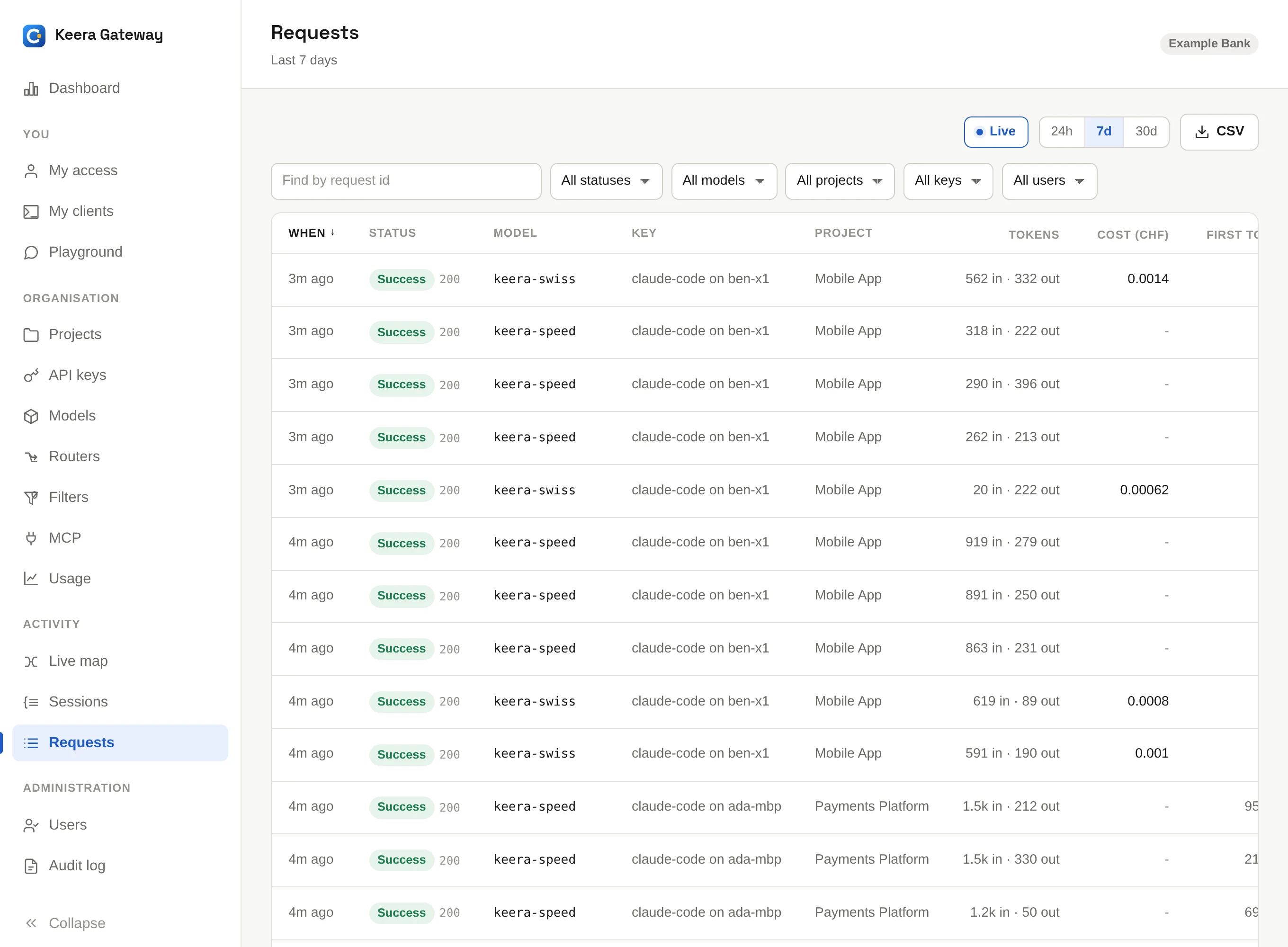
Requests is the request log: one row per request, newest first. Filter it by model, project, key, person or status, or search for a request id. Click a column such as Cost or Tokens to rank the whole time window by it. Live shows new requests as they arrive.
Click View to open a request. It shows who sent it, which model answered, the tokens and cost, and where the time went: in the gateway, in each filter and in the model.
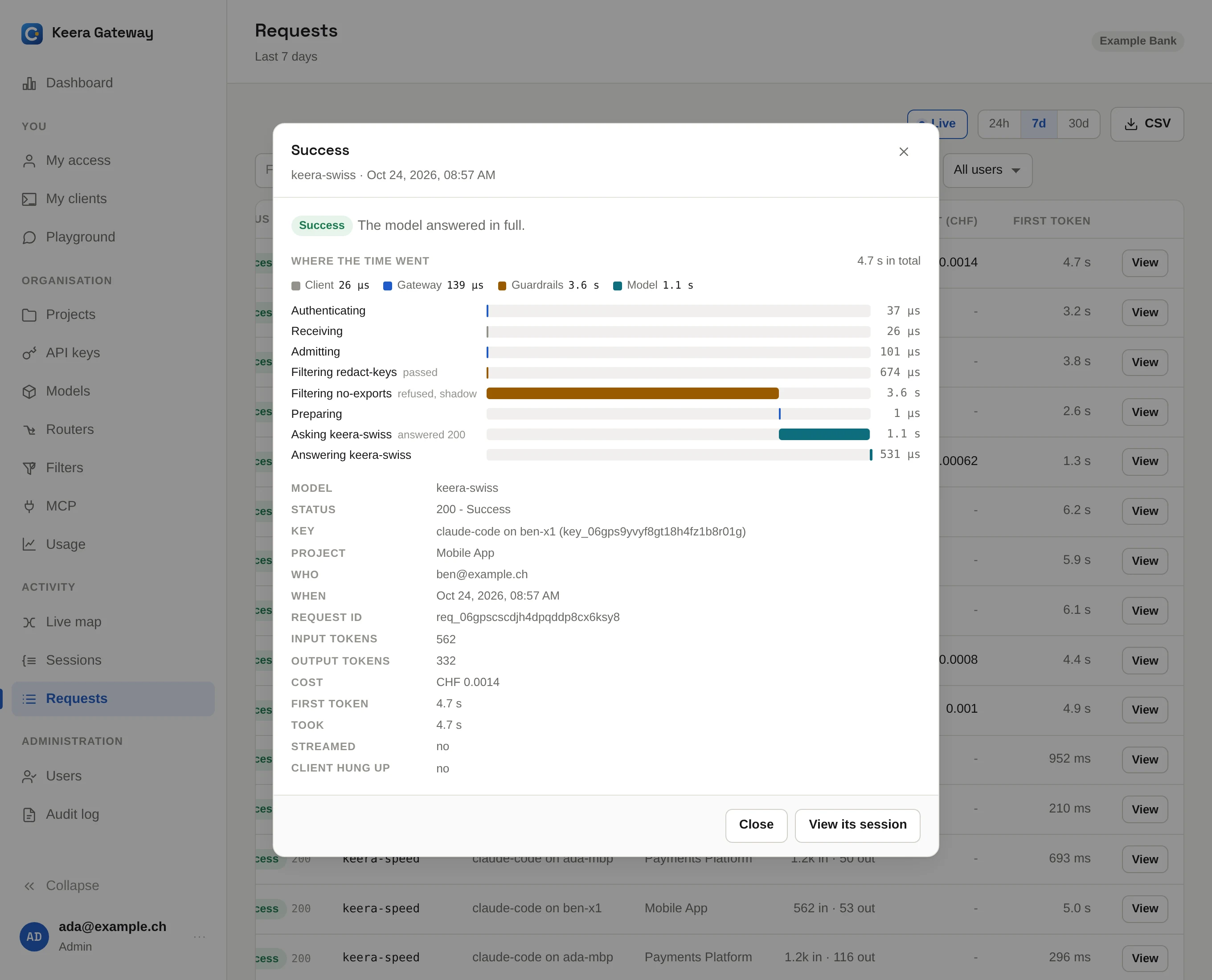
A developer who says "my agent stopped this afternoon" can find the answer here, or on their own My access page. Every refusal is logged with the message the tool received.
Sessions
A coding agent turns one instruction into thirty or forty requests. A session groups the requests of one task, so you can see what a task cost: "CHF 1.20, eleven minutes, 41 requests".
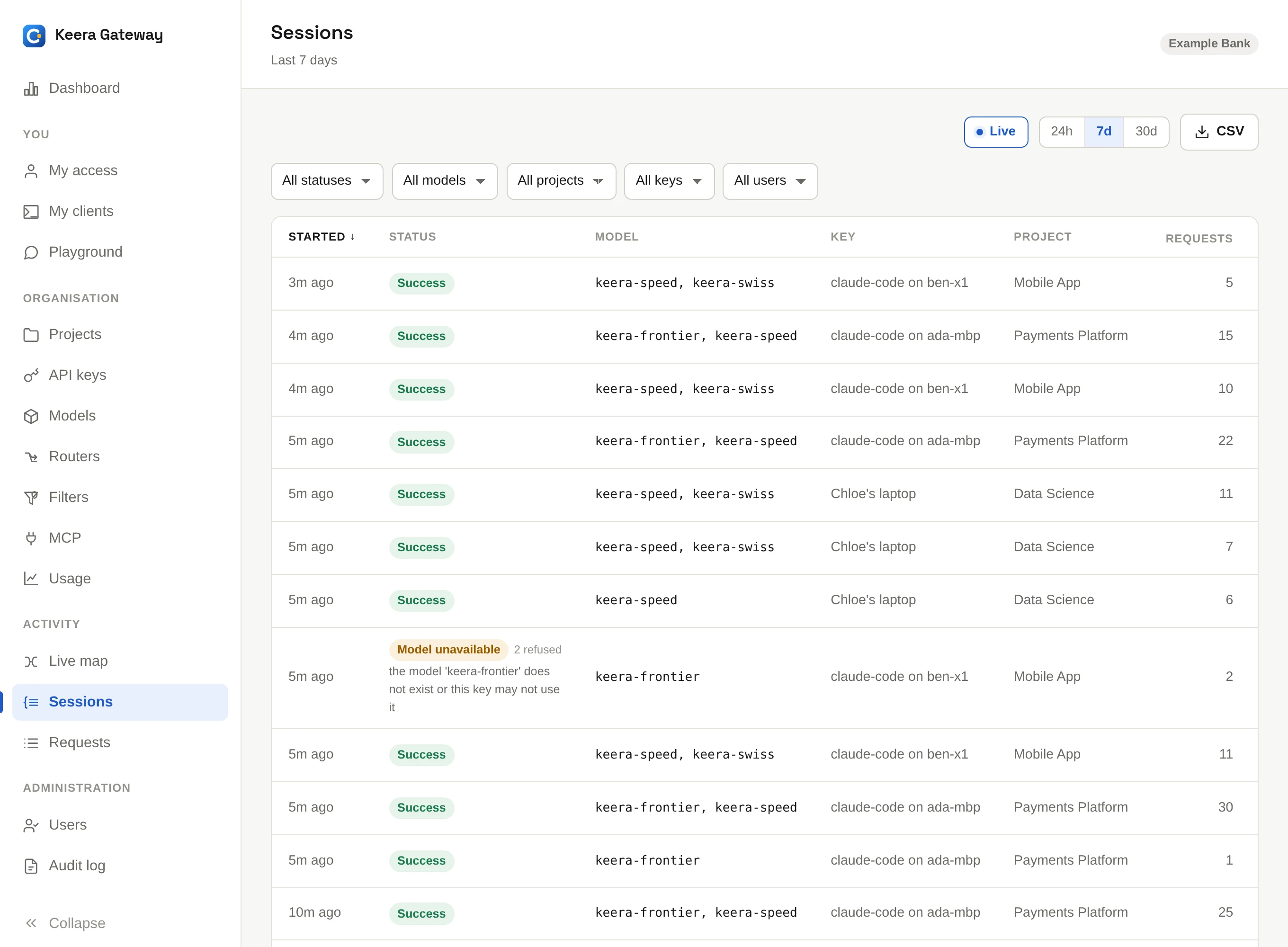
Click Cost, Tokens, Requests or Duration to find the tasks worth a closer look. The latest task is rarely the interesting one.
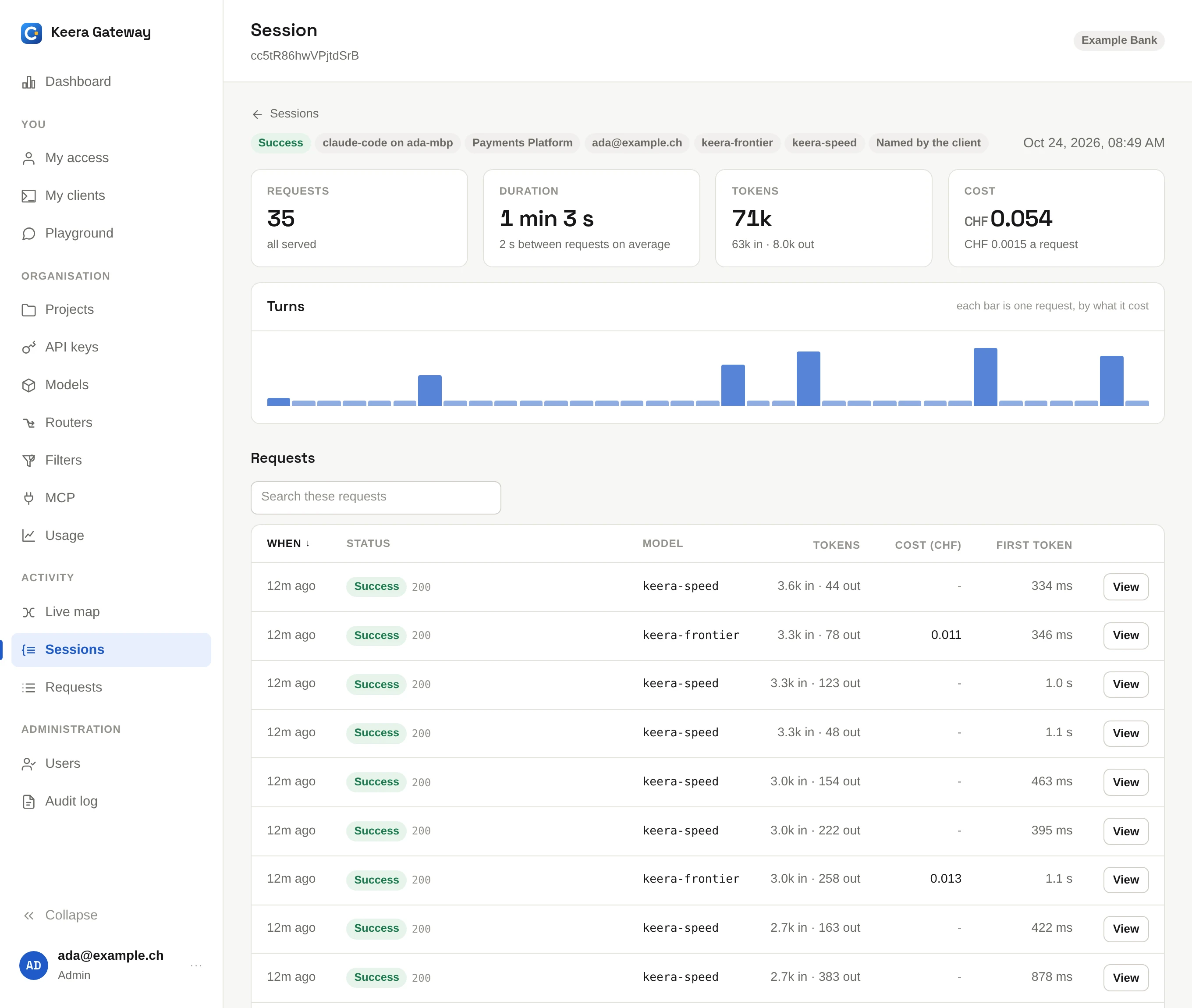
Opening a session shows its requests in order, with one bar per request, sized by cost. Even bars are an agent at work. A long row of identical small bars is an agent going in circles. A red bar is where the task went wrong.
How Keera finds a session
Requests belong to one session when they are part of the same conversation and no more than 30 minutes apart.
- Claude Code sends its own session id, so its sessions are exact.
- Other tools can send a session id in a header; see The API.
- Otherwise, Keera recognises the conversation by its first message. It stores only a short hash of it, never the text.
On the command line
keera session list                     # the most expensive tasks of the last 7 days
keera session list --sort requests     # the tasks that would not stop
keera session list --unhappy           # only the ones with problems
keera session show <request-id>        # one task, from start to end