Dashboard and usage
Dashboard
The Dashboard shows the last 24 hours, 7 days or 30 days at a glance: requests, tokens, cost and the time to the first token, the traffic over time, and the projects and models that use the most.
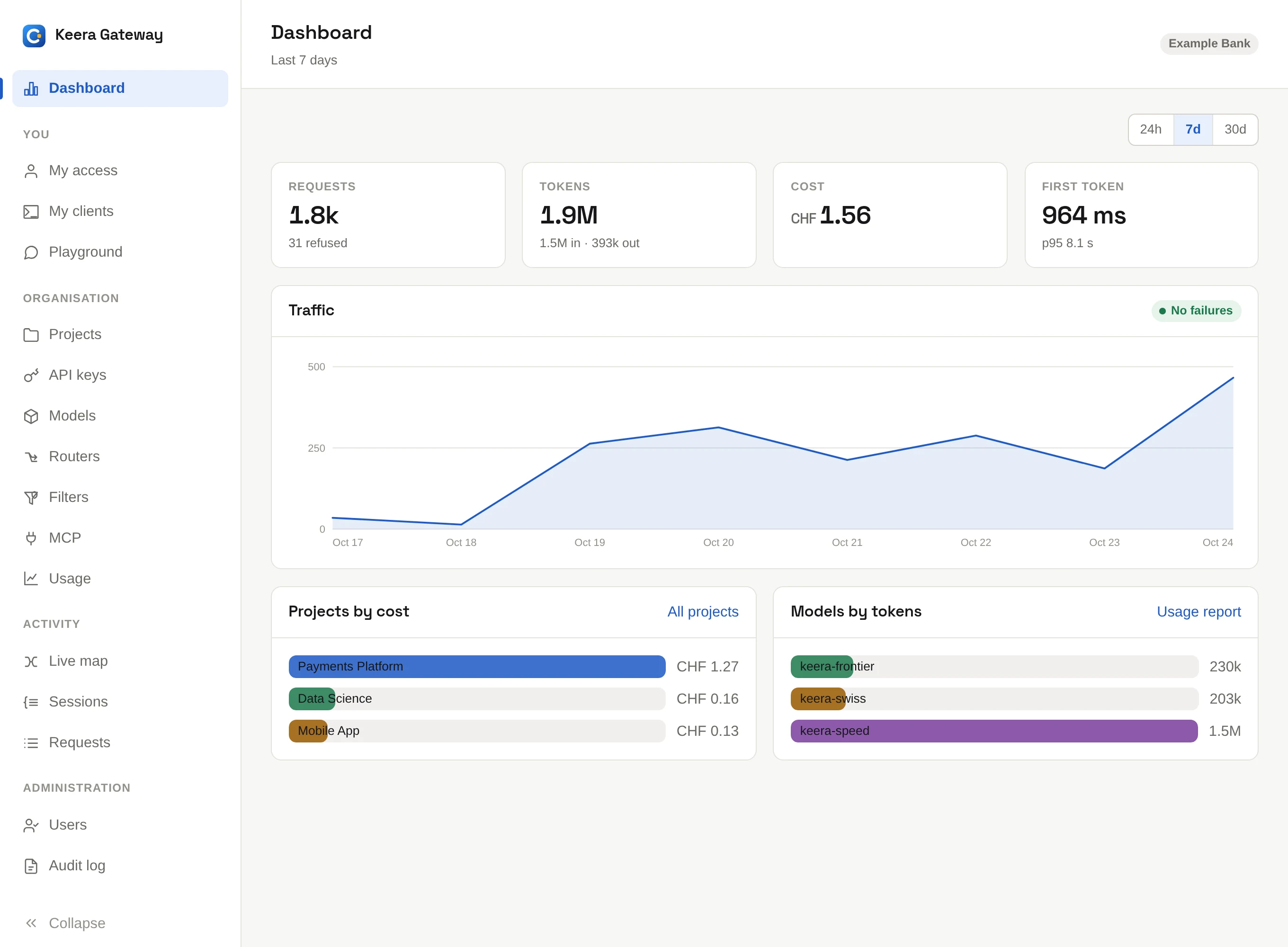
A member sees the same screen for their own keys.
Usage
Usage breaks the numbers down by project, model, client, key, user or day. Pick a breakdown and a time window. CSV downloads the table.
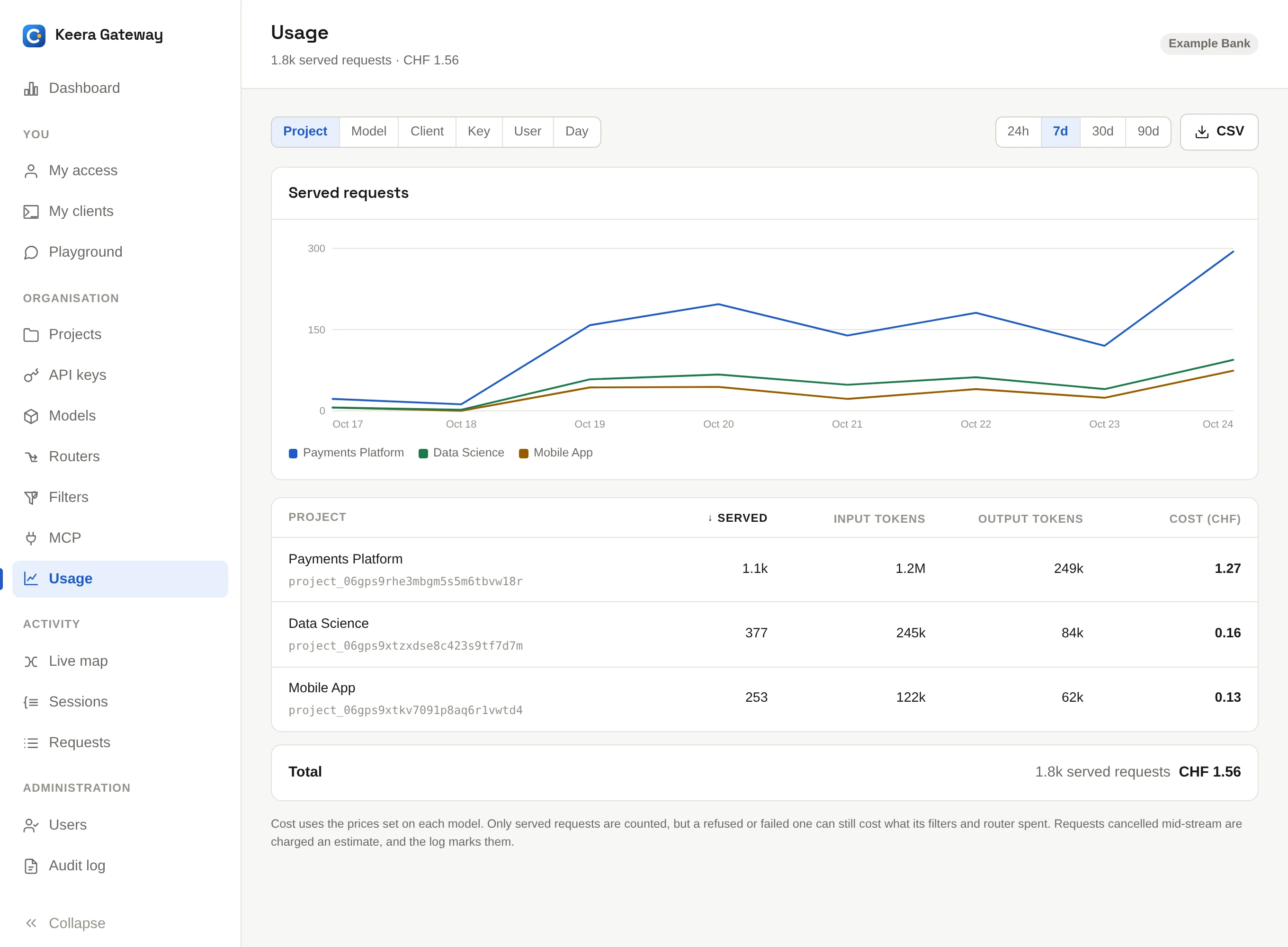
The same report on the command line:
keera usage --by project
keera usage --by model --since 30d
keera usage --by client
What a cost means
Costs come from the prices set on each model, in CHF.
- For a hosted model, these start as the provider's list price. If you pay a different price, set it on the model; see Models.
- For your own models, the price is 0 unless you set one, for example to charge teams internally.
- A request cut off by the client is charged on an estimate, and marked as such in the request log.
Failures
keera failures
lists the requests that did not succeed, with what the model or the gateway
said. Each one opens with keera session show <request-id>.