MCP servers
Tool calls send data out just like model calls do: to an issue tracker, a chat channel or a cloud API. So Keera Gateway can sit in front of MCP servers too.
An agent reaches a server at https://gateway.keera.ch/api/mcp/<alias> with
its normal Keera key. The gateway then:
- shows the agent only the tools its key may call
- runs the key's filters on what each call sends
- adds the server's credential, which never reaches a laptop
- records every call: tool, outcome, time and size, but never the content
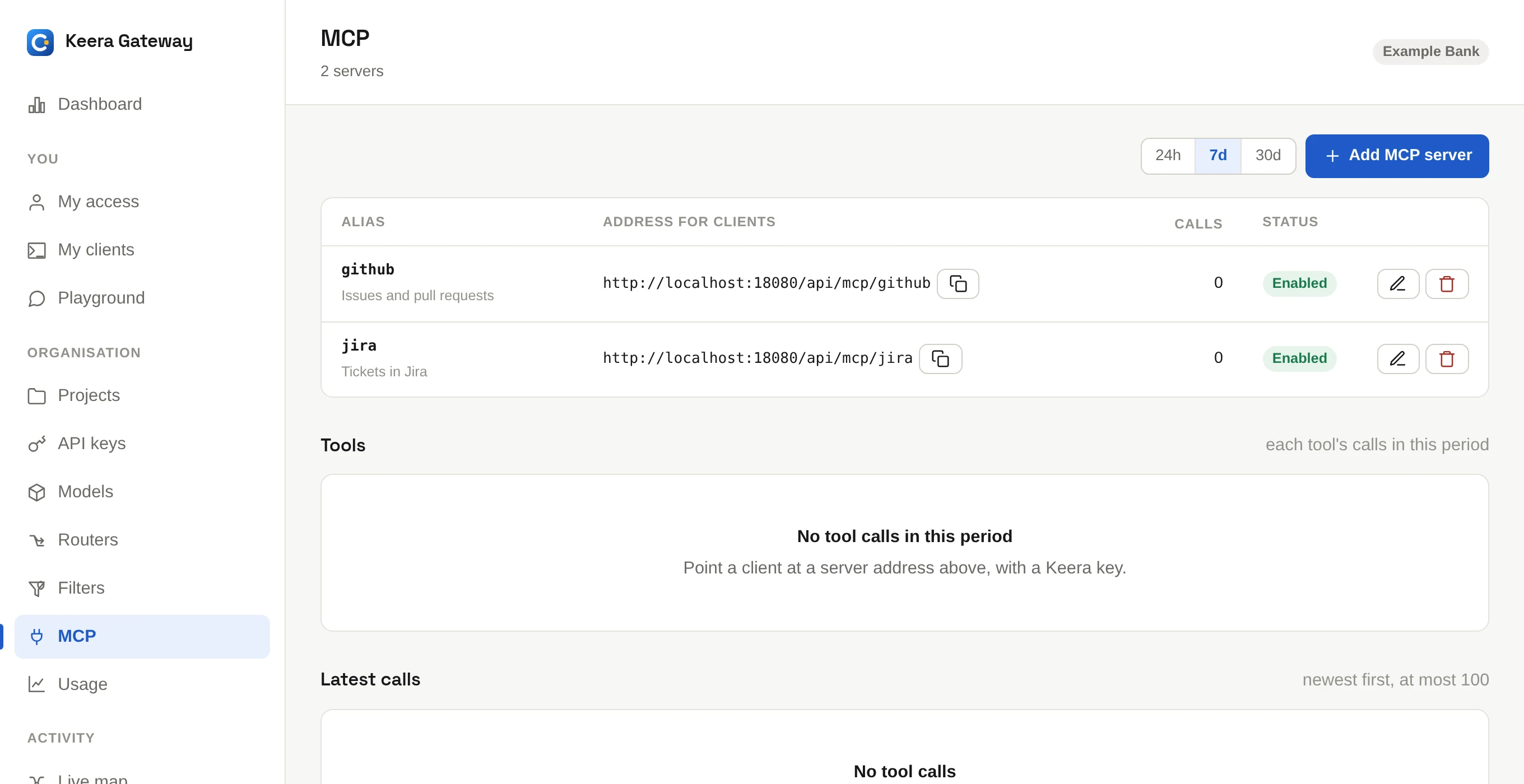
Add a server
Open MCP and click Add MCP server, or run:
keera mcp add github --endpoint https://api.githubcopilot.com/mcp/ \
  --description "Issues and pull requests" --api-key @-
The credential is stored encrypted and sent to the server as a bearer token.
For a server that wants another header, add --auth-header X-Api-Key.
Only remote servers that speak MCP over HTTP can go through the gateway. A server that runs as a local process on a laptop never passes it.
Connect an agent
keera mcp connect github prints the settings for Claude Code, Codex and
other clients. See Connect your tools.
Choose which tools a key may call
Set this in a guardrail, like the models. An entry is a server, for all its
tools, or server/tool for one tool:
keera guardrail set org --tools github,jira/search
keera guardrail set project "Payments Platform" --tools github/search_code
Each level narrows the one above. If no level sets a list, a key may call every tool of every server. A tool the key may not call is hidden from the agent.
A tool call counts as one request against the key's rate limits.
See the calls
keera mcp calls --since 1h
keera mcp calls --summary --since 7d
Each call has an outcome: ok, tool_error (the tool said it failed),
error (the server failed), denied (not allowed, or over a limit) or
refused (a filter stopped it). Tool calls also show on each
session, under its model calls.
One identity at the server
The server sees the same credential for every key. Its own per-user permissions do not apply, so the tool list in the guardrail is your control.