Live map
The Live map shows what the gateway is connected to. Tools that called it are on the left, models on the right. With Live on, each request moves across the map as it happens.
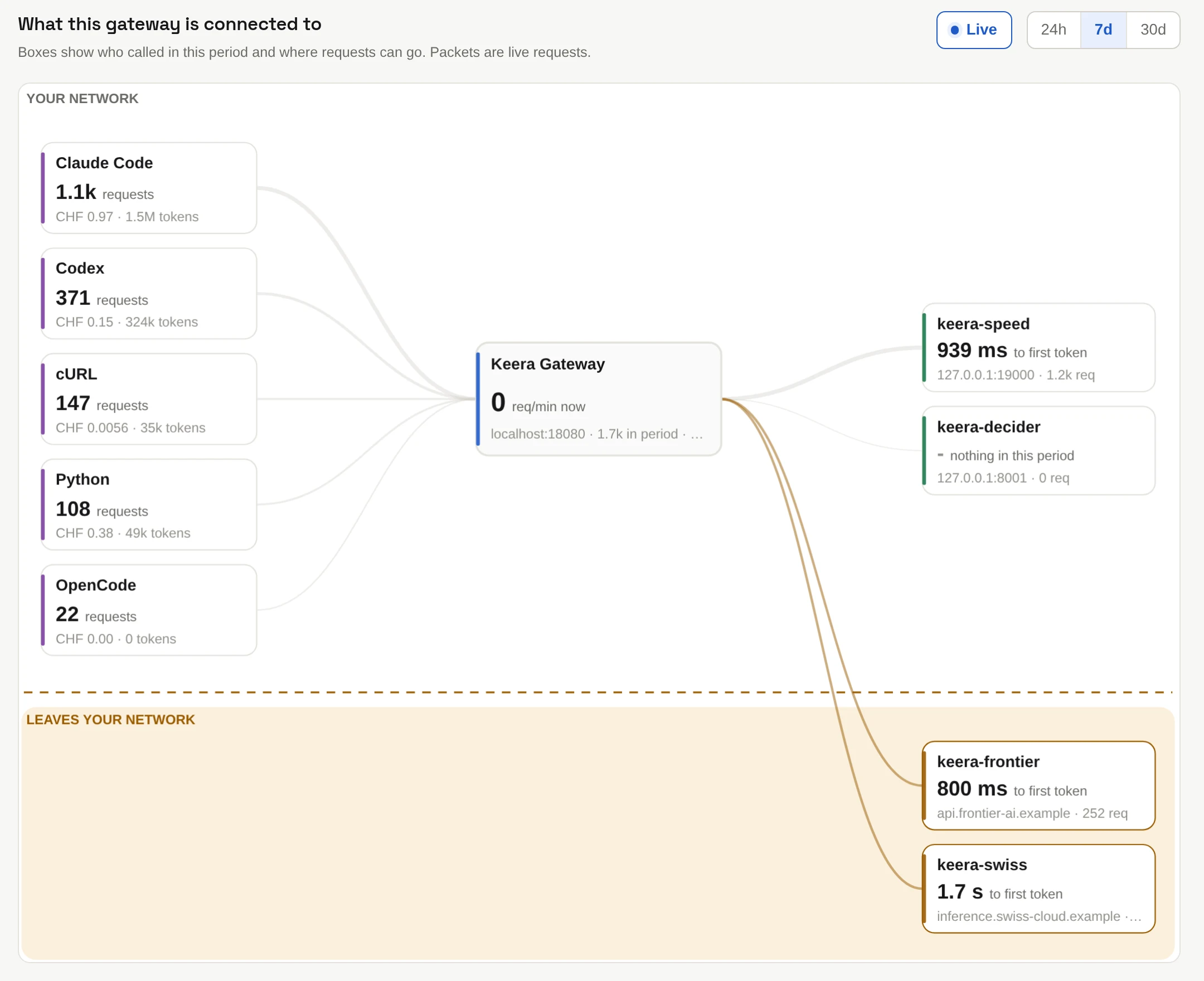
The dashed line is the edge of the gateway's private network:
- Above the line are models served inside it, such as Keera Engine. Prompts sent to them stay there.
- Below the line, in Leaves your network, are hosted models. Every request to them crosses the line, so you see at once how much of your traffic leaves, and what it costs.
Below the map, two tables list every model with where it runs, and every client with its requests, tokens, refusals and cost.
Where a model runs
Keera decides this from the model's address. A private address or an
internal host name, such as keera-engine, is inside the gateway's private
network. Any
other address is outside.